Wednesday, September 21, 2022

VintageRack - Easy Vintage Vibe Effects

VintageRack is a minimalistic and convenient multi-effect application that contains modules realistically modeling notable retro gear from the early digital era with their inherent aesthetics and atmosphere.

>>> Get this app on App Store
Universal app for iOS and Mac (Audio unit)

Most of the effects in this application have been inspired and based on the principles of actual hardware from the 70s and 80s, which is great for giving the sound of any instrument the nostalgic and emotional mood of old recordings.

This application has a clean and intuitive user interface with a well-considered structure. The signal path is split into seven slots: the first for input control, the last for output, and five customizable effect modules in between. Each module features a master fader for adjusting effect presence and a mute button for smooth toggling. These parameters can be easily assigned to MIDI controls right from the main screen, improving both workflow and productivity.

Smooth transitions between presets and on-screen pads for quickly switching presets that can be easily assigned to MIDI controls allow flexible effect selection during live performances or studio recordings.

Another great feature of VintageRack is the ability to set a lower bit depth of processed signal, typical for early digital devices, both for the entire path and for individual modules. As with these devices, this application models pre- and post-processing of the analog signal both before and after the digital circuits with the addition of companders, emphasis and filters, which makes the sound similar to the real devices.

Effect modules:

  • Analog modeled compressor.
  • Three band equalizer typical for mixing consoles.
  • Classic and reverse delays with modulation feature.
  • Two Chorus modules are precise emulations of known devices.
  • Two modules of Flanger with different options and tones.
  • Two modules of Phaser with various sound character.
  • Filter module controlled by LFO or envelope generator.
  • Faithful emulation of classic Wah effects with added automation.
  • Combined effect of Tremolo and Vibrato with separate rate.
  • Ring modulator with additional modulation of carrier.
  • Three types of Fuzz with modulated filters.
  • Emulation of one of the early digital reverbs.
  • Vintage exciter with bass enhancer.
  • Spring reverb with tube preamp.
  • Advanced formant filter with voice synth mode.
  • Input slot contains Noise gate and Automatic gain control.
  • Output slot contains tape-style saturation and three types of tonestacks.

Click on image to enlarge


VintageRack is a universal application for iOS and macOS. It can work on iPhone and iPad as well as Mac / MacBook with M1 chip (and later). VintageRack works on iPhone and iPad standalone, as an Audio Unit or Inter-App Audio module, and supports Audiobus and Ableton Link. On MacOS, VintageRack can works both as a standalone application and as an Audio unit (AUv3) with DAWs and audio unit hosts like Ableton Live, Logic Pro, GarageBand, MainStage, Cockos Reaper, Plogue Bidule, Hosting AU, and other hosts that support AUv3 plugins. All application features are available on iOS and macOS, including MIDI support (with a MIDI learn option) and audio unit parameters. VintageRack has a built-in detailed description of all parameters also available as PDF file on the application site.


>>> Complete description of VintageRack 2.2 (pdf)

Demos and reviews:

VintageRack - Tutorial 1: Getting Started (SoundForMore Tutorials)

VintageRack - Tutorial 2: Compressor and Console Equalizer (SoundForMore Tutorials)

VintageRack - Tutorial 3: Delay and Reverse Delay (SoundForMore Tutorials)

VintageRack and Pure Upright AUv3 [Piano through Retro Gear!] (SoundForMore Tutorials)

Vintage Rack Demo & Detailed walkthrough (Gavinski’s Tutorials)

VintageRack - Walkthrough & Demo for the iPad (The Sound Test Room)

VintageRack - Retro Multi-Effects Modeled on Gear from the 70s & 80s (The Sound Test Room)

Let's try VintageRack (e y l v y)

SunVox (drums, sequence) + VintageRack presets (Alexander Zolotov)

Guitar improvisation with VintageRack (Ken Karsh)

VintageRack guitar demo jam (Colin Powell)

My Romance "Serenading Pandora" (Ken Karsh)

VintageRack processes sound of King Of FM synth

Synth One J6 with VintageRack effects

Synth One J6 with VintageRack on iPad (presets demo)


Would you like more applications with classic effects?

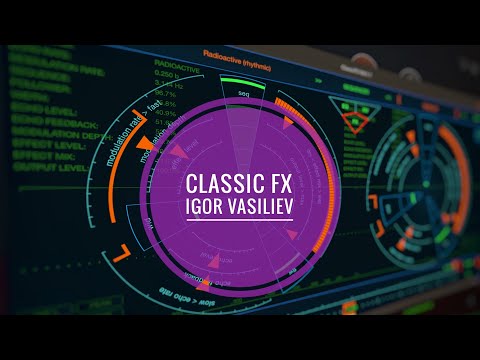
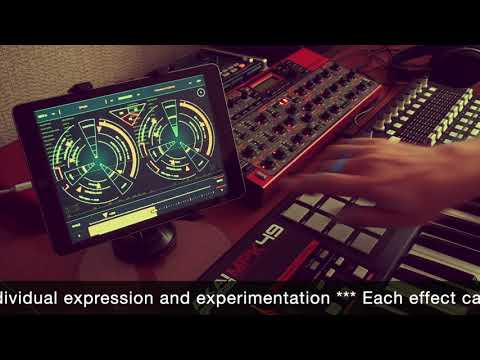
Classic FX - Reworked classic audio effects

Classic FX (iOS/macOS/AudioUnit) is a complete sound effects processor and a mono-to-stereo enhancer with equalizer, effects and reverb, based on specially designed high-quality processing algorithms and suitable for any kind of audio sources.


Tuesday, August 16, 2022

SoundSaw now universal app for iOS and macOS

With the new version 1.3, SoundSaw - The Art of Sound Destruction, becomes a truly universal application for iOS and macOS with AUv3 plugin support.


SoundSaw can work on iPhone and iPad as well as Mac / MacBook with M1 chip (and later). On macOS the SoundSaw can works both as a standalone application and as an Audio unit (AUv3) with DAWs and audio unit hosts like Ableton Live, Logic Pro, GarageBand, MainStage, Cockos Reaper, Plogue Bidule, Hosting AU, etc. All application features are available on iOS and macOS, including MIDI support (with a MIDI learn option) and audio unit parameters. SoundSaw has a built-in detailed description of all parameters also available as PDF file.

Also in this update:

  • Added MIDI support.
  • Adapted to work on macOS as a standalone and as an AUv3 plugin.
  • Ready for the upcoming iOS 16.
  • App setting to restore parameters for audio unit.
  • Optimization of the audio engine.
  • Built-in description has been updated.
  • Minor bugs were fixed.


SoundSaw - The Art of Sound Destruction >> App Store

SoundSaw is a complex sound processing app with easy-to-use controls designed to distort the sound of musical instruments or voice, and give the sound the aesthetics and atmosphere of noise, lo-fi, chiptune and experimental music scene. >>> More about this app

VIDEO DEMOS AND TUTORIALS


Wednesday, August 3, 2022

SpaceFields app updated to version 1.4

The SpaceFields app has been updated with some additions and fixes:

  • Added new presets.
  • Option Rand generates parameters for Direct mode.
  • App setting to restore parameters for audio unit.
  • Fixed problem with switching knobs value on iPhone.
  • Fixed crash when standalone on macOS in some cases.
  • Also several minor bugs were fixed.
  • Optimization of the audio engine.
  • Updated app description.


SpaceFields - Space Ambient Machine >> App Store

SpaceFields is a mangler effect for creating slowly changing rhythmic sound structures in a deep reverb space from any external signal. Great for experimenting and designing ambient and noise backgrounds with rhythmic elements. >>> More about this app


Check out this wonderful series of very detailed tutorials to learn everything about this app.


Monday, August 1, 2022

AltiSpace now universal app for iOS and macOS

With the new version 1.3, AltiSpace - Advanced convolution reverb becomes a truly universal application for iOS and macOS with AUv3 plugin support.


AltiSpace can work on iPhone and iPad as well as Mac / MacBook with M1 chip (and later). On macOS the AltiSpace can works both as a standalone application and as an Audio unit (AUv3) with DAWs and audio unit hosts like Ableton Live, Logic Pro, GarageBand, MainStage, Cockos Reaper, Plogue Bidule, Hosting AU, etc. All application features are available on macOS, including MIDI support, audio unit parameters and importing IR files from any directory of device.

Also in this update:

  • Shift + Touch and drag to change the second value of the knob for macOS.
  • Optimization of the audio engine.
  • Built-in description has been updated.
  • Minor bugs were fixed.


AltiSpace 2 - Advanced Convolution Reverb >> App Store

AltiSpace is a convolution reverb app with advanced controls that provides realistic sounding natural acoustic space or vintage reverb devices for any track or mix. >>> More about this app

VIDEO DEMOS AND TUTORIALS


Friday, July 29, 2022

How To Run iOS Apps On Mac

One of the big advantages of the new Macs with Apple Silicon M1 and M2 chips is that you can finally run iPad and iPhone apps on your Mac without the need for any emulation software.

This possibility is especially interesting for iOS music and audio processing apps that can work as an Audio unit (AUv3) and are adapted for use with macOS.

Many (but not yet all) DAWs and audio unit hosts on Mac already support the new format of audio plugins - AUv3 (do not confuse with regular AU plugins). Among them - Ableton Live (from version 11.2), Logic Pro, GarageBand, MainStage, Cockos Reaper, Plogue Bidule, Hosting AU, etc. With these hosts, iOS apps can work just as well as regular plugins.

But once again, the iOS audio apps must comply with the AUv3 standard and be adapted to work with macOS. In the App Store, the descriptions for each app have labels to tell you what platform the app was designed for. Many apps will also have a label that says, “Not verified for macOS,” which means you may encounter performance or interface issues while using it.

From these articles you can learn how to run iOS apps on Mac. Note that you do not need any third-party soft to run iOS apps adapted and verified for macOS on Macs M1 (and later).

>>> How to run your favorite iPhone and iPad apps on an M1 Mac

>>> How to Run iOS Apps on Mac [Guide]

>>> How To Run iOS Apps On Mac (inc. M1/M2 Macs, Monterey, Big Sur & Catalina)

Please note that on your Mac should be enabled System Integrity Protection (SIP) to open iOS apps.

>>> If you disable SIP, all you iOS apps will stop working on your M1

There is also an interesting article for fans of Ableton Live - "Why iPad Music App Support in Ableton Live is so Awesome". Here you can replace Ableton on any other DAW that supports AUv3 plugins. For example GarageBand or Logic Pro.

>>> Why iPad Music App Support in Ableton Live is so Awesome

Another interesting option to use iOS audio apps on Mac standalone, even without AUv3, is routing audio between them. For this, you will need a third-party software on Mac that provides audio routing. There are several free and paid virtual audio routing apps for macOS.

This article lists popular options and gives an example of using such apps with Ableton Live.

>>> How to route audio between applications


My apps that working on Macs with Apple Silicon M1 and M2

GlitchScaper - Rhythm & Glitch machine

Rhythm machine with six sound generators, each controlled by a two-layer cycle sequencer, designed to easily create glitchy patterns and scapes.

VintageRack - Easy LoFi Vintage Vibe Effects

Minimalistic and convenient multi-effect application that contains modules realistically simulating notable retro gear from the early digital age with their natural lo-fi and warm aesthetics.

SpaceFields - Space Ambient Machine

Mangler effect for creating slowly changing rhythmic sound structures in a deep reverb space from any external signal. Great for experimenting and designing ambient and noise backgrounds with rhythmic elements.

AltiSpace 2 - Advanced Convolution Reverb

Convolution reverb app with advanced controls that provides realistic sounding natural acoustic space or vintage reverb devices for any track or mix.

SoundSaw - The Art of Sound Destruction

Complex sound processing app with easy-to-use controls designed to distort the sound of musical instruments or voice, and give the sound the aesthetics and atmosphere of noise, lo-fi, chiptune and experimental music scene.

BeatCutter - Rhythm slicing & recombining

Experimental multi-channel app for slicing and recombining sound based on rhythm. In the center of the app is a matrix of sample cells with smoothly reconfigurable recording, playback and control busses.


Monday, July 25, 2022

SpaceFields universal iOS and macOS app

With the new version 1.3, SpaceFields becomes a truly universal application for iOS and macOS.


It can work on iPhone and iPad as well as Mac / MacBook with M1 chip (and later). On macOS the SpaceFields can works both as a standalone application and as an Audio unit (AUv3) with DAWs and audio unit hosts like Ableton Live, Logic Pro, GarageBand, MainStage, Plogue Bidule, and any others that support AUv3 plugins.

All application features are available on macOS, including MIDI support, audio unit parameters and importing samples from any directory of device.

Also in this update:

  • Added new presets.
  • Ready for the upcoming iOS 16.
  • Added an indicator of the threshold exceed.
  • Shift + Touch and drag to change the second value of the knobs for macOS.
  • Option to enable Shift + Touch and drag on iOS with external keyboard.
  • Slightly optimization of the audio engine.
  • Fixed an issue with some audio unit parameters.
  • Fixed a bug with a mismatch between the actual loop length and the parameter in some cases.
  • Fixed a bug with loop length when loading samples in Fixed / Ready modes.


SpaceFields - Space Ambient Machine >> App Store

SpaceFields is a mangler effect for creating slowly changing rhythmic sound structures in a deep reverb space from any external signal. Great for experimenting and designing ambient and noise backgrounds with rhythmic elements. >>> More about this app

VIDEO DEMOS AND TUTORIALS


Wednesday, June 15, 2022

Summer Sale! More about apps

See tutorials, reviews and demos for these apps below


SpaceFields - Space Ambient Machine >> App Store

SpaceFields is a mangler effect for creating slowly changing rhythmic sound structures in a deep reverb space from any external signal. Great for experimenting and designing ambient and noise backgrounds with rhythmic elements. >>> More about this app

VIDEO DEMOS AND TUTORIALS

AltiSpace 2 - Advanced Convolution Reverb >> App Store

AltiSpace 2 is a convolution reverb app with advanced controls that provides realistic sounding natural acoustic space or vintage reverb devices for any track or mix. >>> More about this app

VIDEO DEMOS AND TUTORIALS

SoundSaw - The Art of Sound Destruction >> App Store

SoundSaw is a complex sound processing app with easy-to-use controls designed to distort the sound of musical instruments or voice, and give the sound the aesthetics and atmosphere of noise, lo-fi, chiptune and experimental music scene. >>> More about this app

VIDEO DEMOS AND TUTORIALS

BeatCutter - Rhythm slicing & recombining >> App Store

BeatCutter is an experimental multi-channel app for slicing and recombining sound based on rhythm. In the center of the app is a matrix of sample cells with smoothly reconfigurable recording, playback and control busses. This app is best for those who would like to experiment with large audio files or live instruments, creating chaotic constructions and patterns from sliced rhythm-driven samples. >>> More about this app

>>> BeatCutter - A great series of step-by-step tutorials

VIDEO DEMOS AND TUTORIALS

Classic FX - Reworked classic audio effects >> App Store

A complete sound effects processor and a mono to stereo converter with equalizer, effects and reverb, based on specially designed high-quality processing algorithms and suitable for any kind of audio sources. This app will add brightness and expand the sound space of any instrument from recorded musical instruments to software and even modular synthesizers. >>> More about this app
VIDEO DEMOS AND TUTORIALS

SynthScaper - Soundscapes synthesizer >> App Store

Synthesizer specially designed for creating and experiments with ambient soundscapes in wide range from noises to melodic instruments and everything in between. >>> More about this app

>>> An excellent series of tutorials for the SynthScaper app

VIDEO DEMOS AND TUTORIALS

SynthScaper LE - Multitimbral atmospheric synth >> App Store

The special lightweight version of SynthScaper LE lets you easily create and modify your own multi-timbral pads and atmospheric soundscapes. >>> More about this app

VIDEO DEMOS AND TUTORIALS

FieldScaper - Field recorder & Scapes constructor >> App Store

Advanced field recorder combined with a sound warp engine and a collection of ready to use dynamic presets for iPad and iPhone. Discover new ways to create and construct unusual and exciting sounds from any environmental audio recordings or samples recorded from other apps. >>> More about this app

VIDEO DEMOS AND TUTORIALS

SoundScaper - An experimental sound mini lab >> App Store

SoundScaper is an experimental sound mini lab for creating unusual soundscapes, atmospheric textures, drones, glitches and noises based on circuit bending principles. >>> More about this app

VIDEO DEMOS AND TUTORIALS

Friday, May 13, 2022

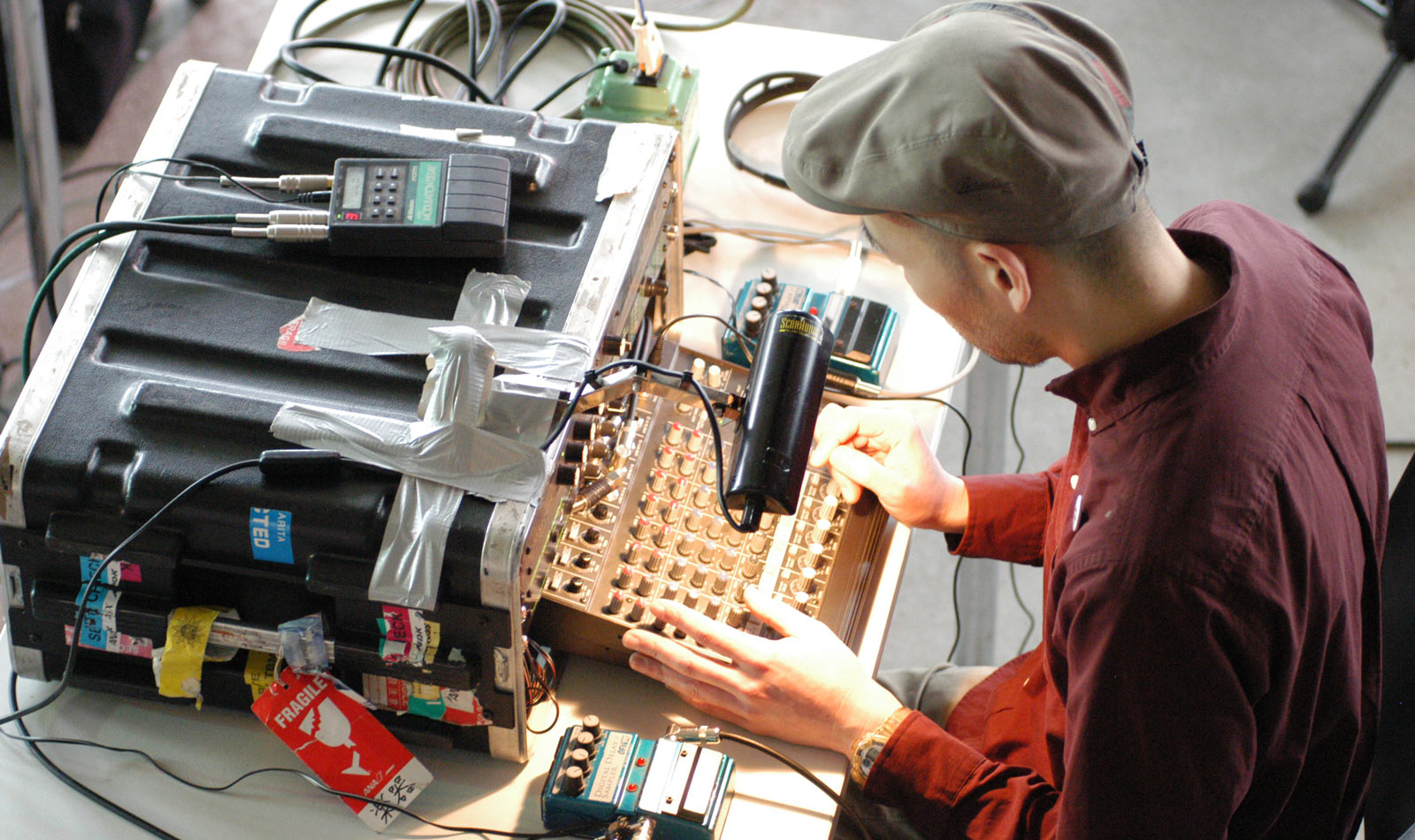
No-Input Mixing

The No-Input Mixing technique turns any regular mixer into an instrument which generates sound by connecting the output of a mixer into one of its inputs, resulting in a feedback loop which can be played and controlled using the mixer’s knobs, faders and routing options.

You’re not supposed to connect the output of a mixing board to its input. “You might see a caution notice in a manual for a mixer if you buy one, saying ‘This might cause feedback,’” says Toshimaru Nakamura, one of Japan’s leading experimental musicians. “Feedback is probably something sound technicians want to avoid, but it sometimes makes musicians happy and excited. So, I did what the manual says not to do.” Nakamura found that after rerouting the signal back into the mixer, the resulting feedback could be controlled with its knobs and faders. In doing so, Nakamura created the no-input mixing board, an instrument that has been deployed worldwide in experimental circles.

>>> Take a look at this fascinating guide to Toshimaru Nakamura’s No-Input Mixing Board


>>> 10 No-Input Mixer Tips and Tricks (from "A Sound Effect")


These great videos of Sarah Belle Reid is an introduction to no input mixing and a basic patch tutorial, and also an overview at four different mixers to see how they respond to no-input mixer feedback patching, and what kinds of sounds we can get out of them.


Turn Any Mixer Into An Experimental Sound Machine. Great No Input Mixer Board Tutorial from The Sound Test Room. Also he has great demos and reviews a lot of iOS music apps.


The idea of No-Input Mixing may appear at first difficult to understand, after all there is no input, yet artists, performers and sound designers have used a variety of approaches using such feedback systems to create music. This paper uses ethnographic approaches to start to understand the methods that people employ when using no-input systems, and in so doing tries to make the invisible, visible.

>>> ResearchGate: Alan Chamberlain (University of Nottingham) - Surfing with sound: an ethnography of the art of no-input mixing (PDF).


You might also be interested in generative musical ideas based on feedback in an app that uses its own output as input to modify and recombine it into endlessly changing sound patterns.

BeatCutter - Rhythm slicing and recombining app. Feedback mode.

This is not like analog feedback when positive loop gain occurs at some more or less stable resonant frequency. It looks more like fractals when the next level is similar to the whole structure, but in this case with constantly changes. We can say that it works like a sound structure that evolves and changes itself. This is an incredible ability to create perfect sound abstractions, unrelated to any external samples or signals and it opens up a huge potential for experimentation and inspiration.

Feedback is arguably the most exciting feature of this app. Whether you're experimenting with sound, creating sound abstractions and patterns, or looking for new ideas, the BeatCutter app is simply worth a try because of this feature.

Using feedback, this app creates very complex sound structures, in principle, without being able to generate sound. Any synth or other electronic instrument that generates a unique sound relies on appropriate algorithms or circuit design to determine how this sound will be generated. But the BeatCutter does not have any algorithms that define how the sound will be created, it just modifies parts of the signal over a period of time and does not have any internal or external signal sources. The result is a perfect abstraction of the highest level. In most cases, non-repetitive and endless.